How I Run My Entire Agency From One Platform (and Save 15+ Hours Every Week)
Have you ever looked at your browser and realized you have ten different tabs open just to run one marketing campaign?
That used to be normal for me. One platform handled leads, another handled email, another sent text messages, another managed appointments, and still another built landing pages. Every tool solved one problem, but together they created a new one: complexity.
Moving more of my operation into an all-in-one CRM for agencies changed that. Instead of constantly moving data between disconnected systems, I can manage leads, conversations, funnels, calendars, automation, and client workflows from one environment.
The result is not simply fewer software subscriptions. The bigger benefit is less administrative work, fewer handoffs, and more consistent follow-up. In my own workflow, that consolidation saves me more than 15 hours in a typical week.
1. Why Agency Tool Sprawl Becomes a Problem
Digital agencies tend to accumulate software gradually.
You may start with a CRM. Then you add an email marketing platform. Later you need SMS, appointment scheduling, landing pages, forms, reputation management, automation, and reporting.
Individually, each tool may work well. The problem appears when the business depends on all of them working together.
Common problems include:
- duplicate customer records
- manual data entry between systems
- missed follow-ups
- broken integrations
- multiple subscriptions and logins
- inconsistent reporting
- more time spent managing software instead of clients
For a small agency, those inefficiencies add up quickly.
2. What an All-in-One CRM for Agencies Can Replace
The idea behind an all-in-one CRM for agencies is simple: put the major parts of the customer journey into one connected system.
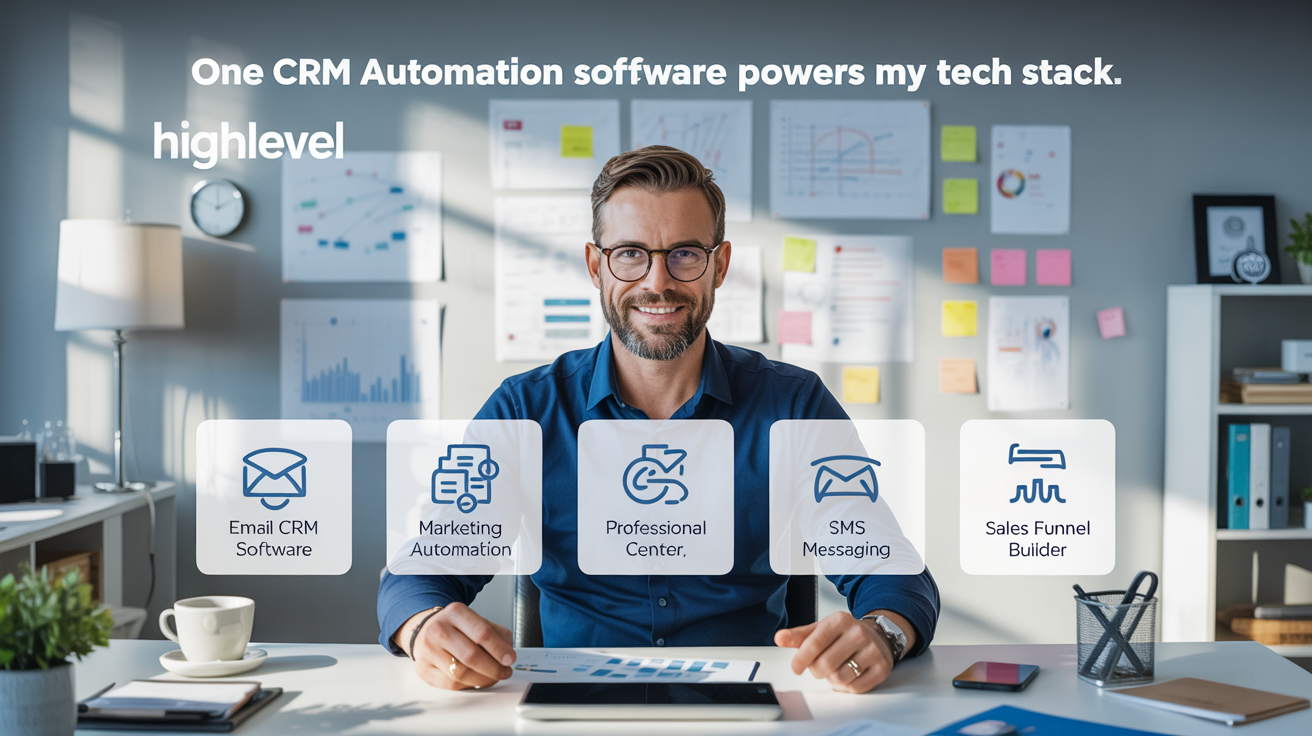
I use HighLevel as the core platform for much of this workflow. HighLevel combines CRM, funnels, email, SMS, calendars, automation, reputation management, payments, and other sales and marketing tools in one environment.
That does not mean every agency should eliminate every specialized application. There are still situations where dedicated tools make sense. But consolidating the activities that depend on the same customer data can dramatically simplify operations.
Core functions I want connected
- contact and lead management
- sales pipelines
- email marketing
- SMS communication
- forms and surveys
- landing pages and funnels
- appointment scheduling
- automated workflows
- review requests and reputation management
- payments and customer follow-up
If you want to explore the platform directly, you can explore HighLevel here .
3. Centralizing Leads and Customer Conversations
The CRM is the foundation of the system.
When a prospect submits a form, books an appointment, replies to a text, or enters through a marketing campaign, the information can be connected to the same contact record.
This reduces one of the most common problems in digital marketing: customer information becoming fragmented across multiple platforms.
A centralized CRM also makes it easier to see:
- where a lead originated
- which messages have already been sent
- whether an appointment has been booked
- where the opportunity sits in the sales pipeline
- what follow-up should happen next
The real advantage is context. Instead of checking several systems to understand what happened with a prospect, the customer journey can be managed from one connected record.
4. Using Automation to Reduce Repetitive Agency Work
Automation is where the largest time savings begin to appear.
Many agency tasks follow predictable patterns. A new lead arrives. Someone needs to respond. A prospect books an appointment. A confirmation should go out. A customer misses an appointment. A follow-up is required.
Instead of manually performing every step, workflows can trigger actions based on customer behavior or changes in the sales pipeline.
Examples of workflows I can automate
- new-lead acknowledgements
- email and SMS follow-up sequences
- appointment confirmations
- appointment reminders
- missed-call responses
- no-show follow-up
- pipeline-stage notifications
- review requests
- client onboarding reminders
- re-engagement campaigns
The objective is not to automate every interaction. The objective is to automate the repetitive steps so people can focus on the conversations that actually require judgment.
5. Building Funnels and Landing Pages in the Same System
Another advantage of an all-in-one system is keeping lead capture close to the CRM.
When a landing page, form, or funnel is built inside the same platform that manages customer records, there is less dependence on third-party integrations to move the lead into the sales process.
For an agency, this makes it easier to build repeatable systems for different clients rather than rebuilding the entire technology stack for every campaign.
Why this matters for conversion
A campaign is not finished when someone clicks an ad. The real value is created when the visitor becomes a lead, receives the right follow-up, books an appointment, and ultimately becomes a customer.
Keeping those steps connected can reduce friction in the conversion process and make performance easier to measure.
6. Connecting Calendars and Appointment Scheduling
Scheduling is another area where disconnected software creates unnecessary work.
If the booking system is integrated with the CRM and automation engine, an appointment can trigger confirmations, reminders, pipeline updates, internal notifications, and follow-up workflows.
Instead of treating the calendar as a separate application, it becomes part of the customer journey.
This is particularly useful for appointment-driven businesses such as professional services, medical practices, beauty businesses, consulting firms, and local service companies.
7. Managing Reviews and Reputation From the CRM
Reputation management can also be connected to customer activity.
For example, after a completed appointment or service, an automated workflow can request a review by email or text. Responses can then be monitored from the same platform that already contains the customer’s history.
For businesses dependent on local search and reviews, this can turn reputation management from an occasional manual task into a consistent process.
The benefit is not simply generating more reviews. It is creating a repeatable customer-experience process rather than hoping staff remember to ask at the right time.
8. A Practical Example: Automating a Local Service Business
Consider a medical spa, dental practice, home-service company, or other appointment-driven business.
A prospect visits a landing page and completes a form.
- The prospect is added to the CRM.
- An immediate acknowledgement is sent.
- The lead receives a link to schedule an appointment.
- The appointment is added to the calendar.
- Automated reminders are sent before the appointment.
- The sales pipeline updates when the appointment status changes.
- After service, the customer receives a review request.
- Future promotions or reactivation campaigns can use the same contact record.
Without an integrated system, several different applications may be responsible for those steps.
With an all-in-one CRM for agencies, much of the workflow can occur inside one connected customer record.
9. Where I Save More Than 15 Hours Every Week
My time savings do not come from one magical feature. They come from eliminating dozens of small repetitive tasks.
Instead of manually moving information between systems, checking multiple inboxes, sending routine reminders, or rebuilding the same workflow for every client, I can create processes that operate consistently.
The biggest sources of time savings are:
- less switching between applications
- fewer manual lead transfers
- automated email and SMS follow-up
- automated appointment reminders
- reusable workflows and templates
- centralized customer communication
- fewer integration problems to troubleshoot
The exact savings will vary by business. For me, however, consolidating these processes has removed enough repetitive work to save more than 15 hours during many weeks.
10. Who Should Consider an All-in-One CRM for Agencies?
An all-in-one CRM is particularly useful when your business relies on several connected activities involving the same leads and customers.
It can make sense for:
- digital marketing agencies
- consultants
- local service businesses
- appointment-based businesses
- small sales teams
- businesses using email and SMS follow-up
- companies building repeatable lead-generation systems
The strongest reason to consolidate is not simply to own fewer tools. It is to create a more connected customer journey.
If that sounds like the operational model you are trying to build, take a look at HighLevel and evaluate whether its workflow matches your business.
11. How AI Is Expanding the Role of the CRM
The CRM is also evolving beyond traditional contact management and automation.
AI can increasingly support customer conversations, content creation, follow-up, lead qualification, appointment scheduling, and internal workflow assistance.
This makes the CRM more important as the central source of customer context. AI becomes more useful when it understands the same contacts, conversations, appointments, and pipeline activity that the rest of the business uses.
In other words, the value of AI is not just the intelligence itself. It is the combination of AI with accurate customer data and well-designed workflows.
Frequently Asked Questions About an All-in-One CRM for Agencies
What is an all-in-one CRM for agencies?
An all-in-one CRM combines customer relationship management with other sales and marketing tools such as email, SMS, funnels, calendars, automation, lead capture, and reputation management.
Can one CRM really replace several software tools?
It can replace many common functions, depending on the agency’s needs. Platforms such as HighLevel combine CRM, funnels, email, SMS, calendars, automation, reputation management, and other business tools in one environment.
Does an all-in-one CRM eliminate the need for every other application?
Not necessarily. Specialized tools can still be valuable for advanced functions. The biggest benefit comes from consolidating the systems that need to share customer and sales information.
How does CRM automation save time?
Automation can handle predictable activities such as lead follow-up, appointment reminders, review requests, internal notifications, and pipeline updates, reducing the amount of repetitive manual work.
Is HighLevel only for marketing agencies?
HighLevel is strongly oriented toward agencies, but its CRM, marketing, communication, scheduling, and automation functions can also be useful for many small and service-based businesses.
Is an all-in-one CRM better than using specialized software?
It depends on the business. Specialized applications can offer deeper functionality in individual areas, while an all-in-one CRM can reduce complexity and improve connectivity between customer-facing processes. The right choice depends on how much integration and operational simplicity matter to your organization.
Conclusion: Simplification Is the Real Advantage
The biggest benefit of an all-in-one CRM for agencies is not that it gives you another piece of software.
It is that it can reduce the number of disconnected systems required to manage a customer journey.
When lead capture, communication, calendars, pipelines, automation, and follow-up share the same customer data, the business becomes easier to manage.
For my agency, that means less time maintaining the technology stack and more time working on strategy, client needs, and business growth.
Affiliate Disclosure: Some links in this article are affiliate links. Buzzpang may receive a commission if you sign up for HighLevel through an eligible referral link, at no additional cost to you. This does not affect the editorial opinions or recommendations expressed in this article.